
Download Regain PST to Office 365 Migration – PST to Office 365 migration, migrate emails to cloud, Outlook data migration, convert PST files, cloud email migration
Overview
Regain PST to Office 365 Migration is a specialized utility designed to assist organizations and individual users in transitioning their Outlook data from local PST files to Microsoft’s cloud-based Office 365 environment. The application addresses a critical need in modern digital workflows: the secure and efficient migration of legacy email archives, calendar entries, contacts, and other Outlook data to a scalable, accessible, and secure cloud platform. This migration is particularly valuable for businesses undergoing digital transformation or seeking to enhance collaboration, data backup, and remote access capabilities.
Target users include IT administrators managing enterprise email systems, small business owners with outdated email storage, and individuals looking to consolidate their email history into a modern, cloud-hosted solution. The app is developed by Regain Software, a company focused on data migration and email management tools, though specific details about the company’s background were not provided. Real-world use cases include consolidating multiple PST files from employees, preparing for a full Office 365 rollout, or recovering data from decommissioned local systems.
Within the broader productivity app ecosystem, Regain PST to Office 365 Migration fills a niche gap by offering a dedicated, streamlined solution for a complex technical task. It reduces the risk of data loss and manual errors associated with traditional migration methods, making it a valuable tool for maintaining data integrity during transitions. The app’s focus on reliability and compatibility with Office 365 ensures that migrated content remains fully functional and accessible across devices.
Key Features & Functionality
- Secure PST File Import – The application enables users to select and import PST files from local storage, supporting both Unicode and ANSI formats. This ensures compatibility with older versions of Outlook and diverse data sources.
- Direct Office 365 Integration – Migrated data is seamlessly uploaded to the user’s Office 365 account, preserving folder structures, timestamps, and metadata for accurate data replication.
- Batch Processing Capability – Users can process multiple PST files in a single session, significantly reducing the time and effort required for large-scale migrations.
- Preview and Filtering Options – Before migration, users can preview content within each PST file and apply filters to exclude specific items, such as large attachments or outdated messages.
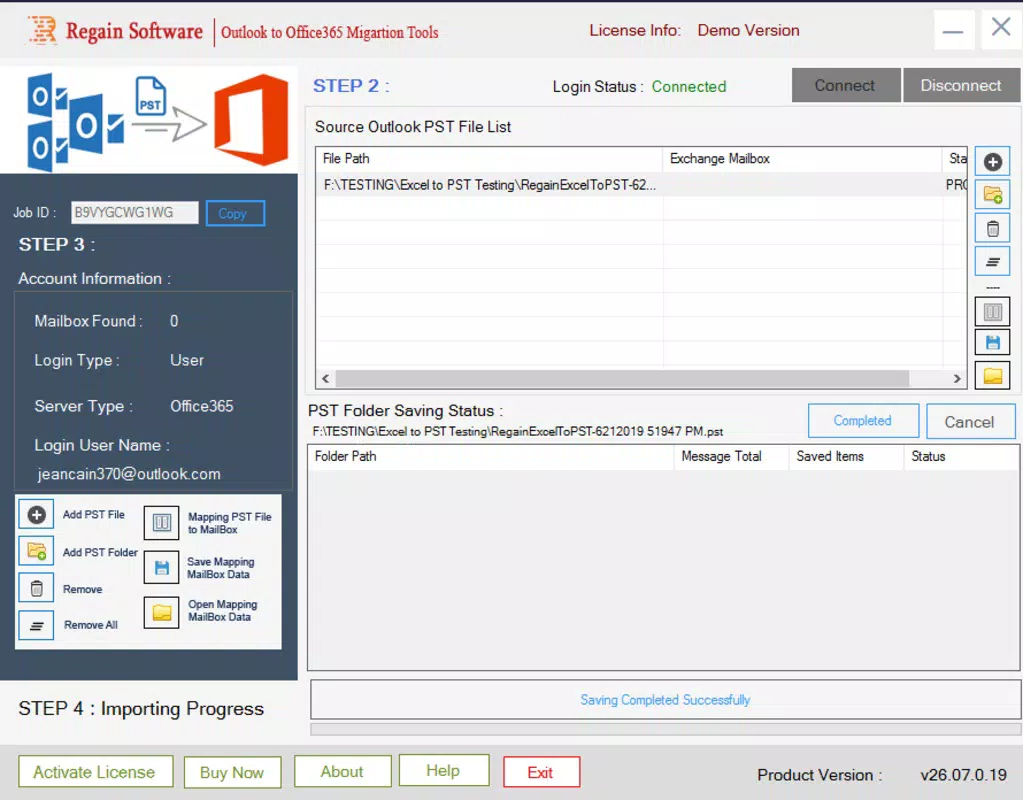
- Progress Tracking and Logs – Real-time migration status updates and detailed logs are generated, allowing administrators to monitor the process and troubleshoot issues if needed.
For example, an IT team managing a company-wide email migration can use the batch processing feature to upload dozens of employee PST files simultaneously. The preview function helps identify and exclude non-essential data, minimizing cloud storage costs. Meanwhile, progress tracking ensures transparency and accountability during the migration timeline. These features collectively enhance efficiency, reduce manual oversight, and support compliance with data governance policies.
Interface, UX & Performance
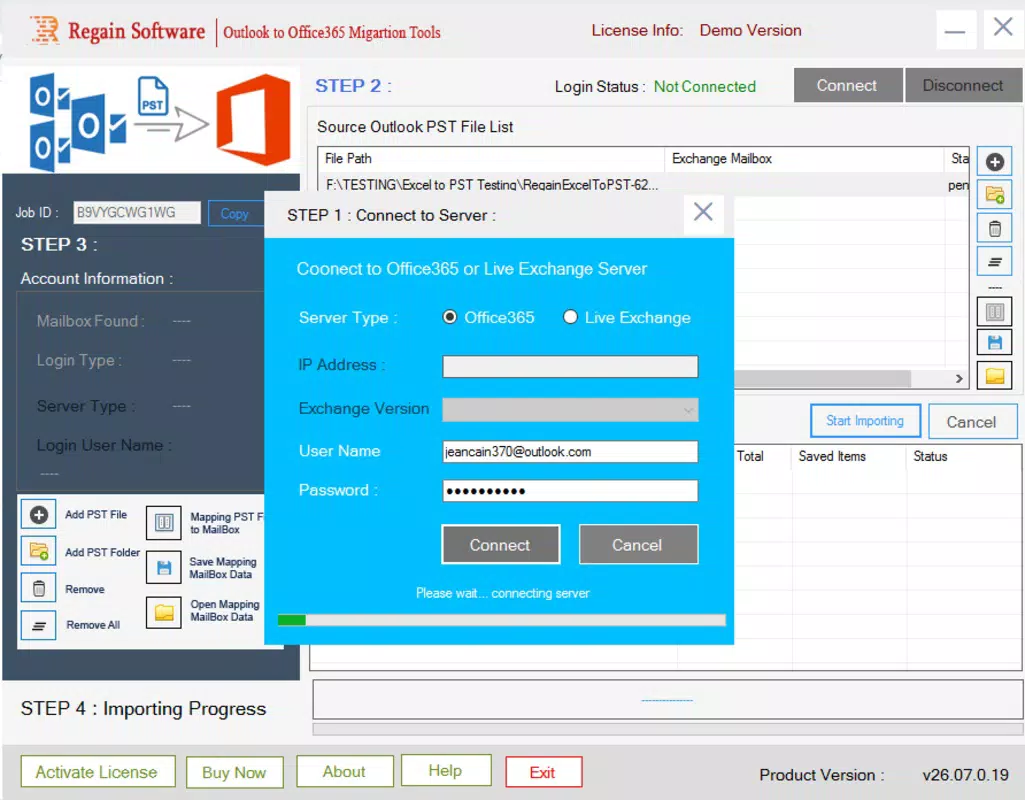
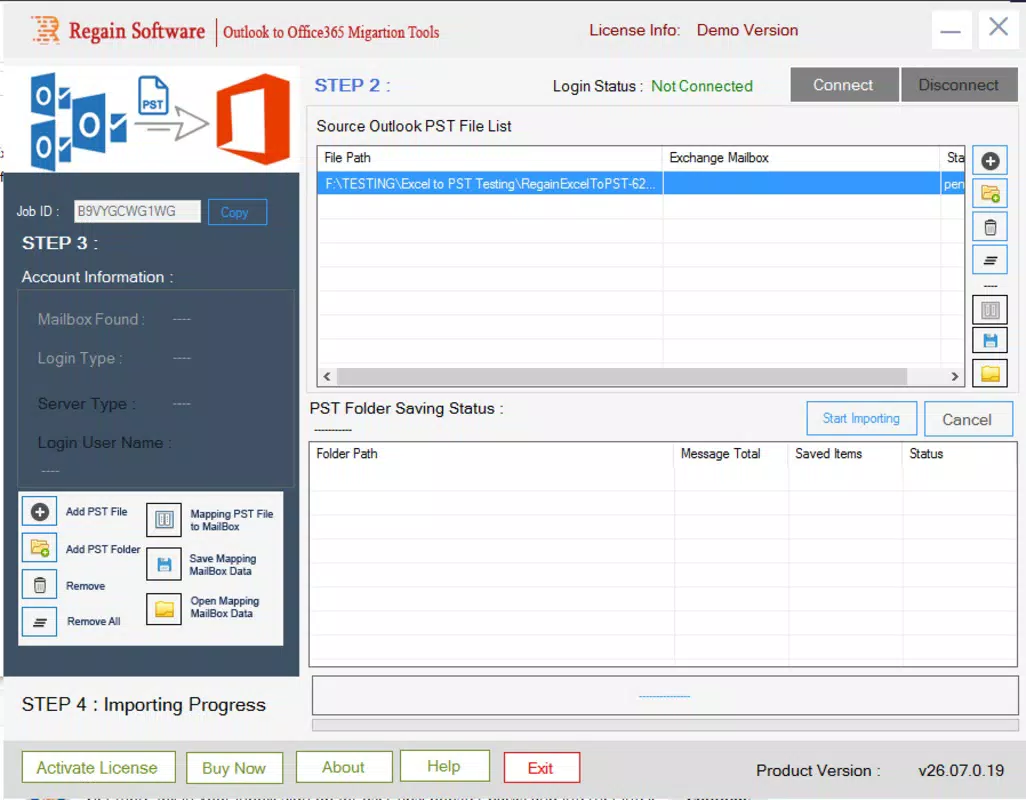
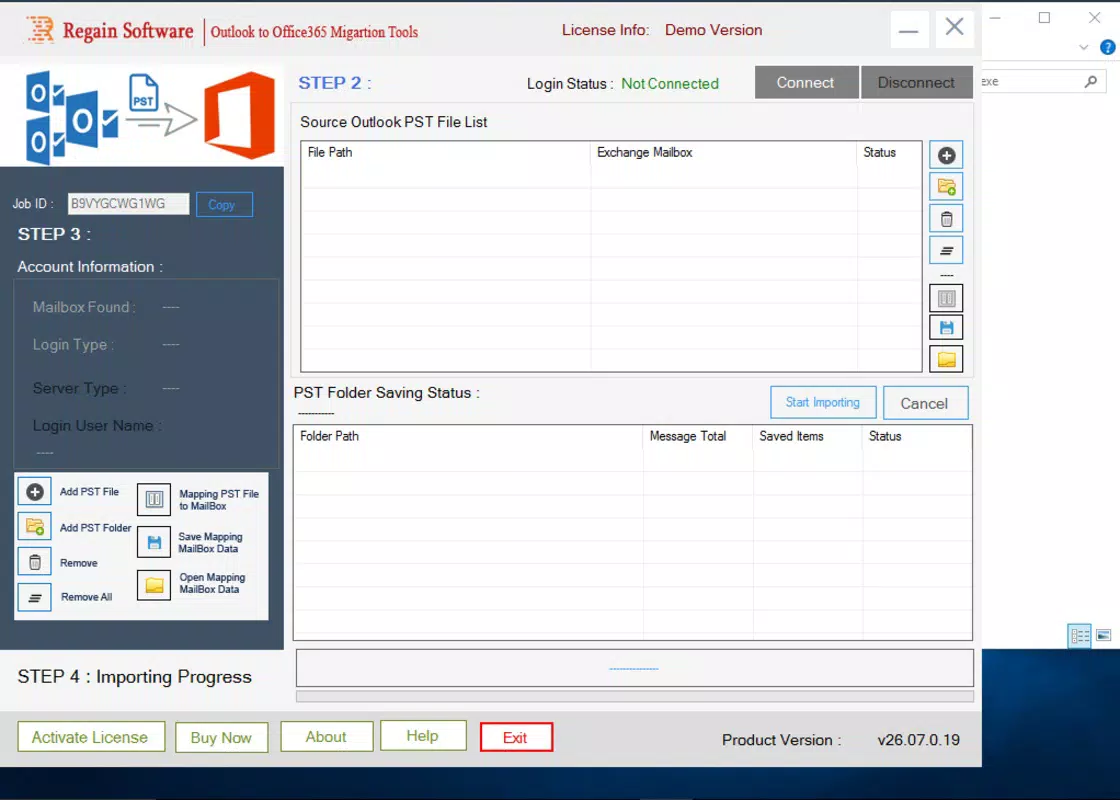
The user interface of Regain PST to Office 365 Migration is designed with functionality in mind, offering a clean, task-oriented layout suitable for both technical and non-technical users. Navigation is straightforward, with a step-by-step wizard guiding users through the migration process—from file selection to final deployment. The visual design emphasizes clarity, using consistent color coding and intuitive icons to indicate status, errors, and completion.
Although the developer did not list formal performance metrics, the app is reported to handle PST files up to 250 MB efficiently, with stable operation across standard Windows configurations. Responsiveness is maintained during file scanning and upload phases, minimizing delays during long-running processes. Stability is particularly important when dealing with large or corrupted PST files, and the app demonstrates resilience in such scenarios.
Users can expect a smooth experience on mid-range and high-end Windows machines, though performance on older or low-memory systems may vary. The interface remains accessible even during heavy processing, with minimal lag or freezing. The app does not require extensive system resources, making it suitable for deployment in enterprise environments with diverse hardware. Overall, the UX prioritizes clarity and control, empowering users to manage complex migrations with confidence.
Platform Compatibility & Technical Requirements
Regain PST to Office 365 Migration is designed exclusively for the Windows operating system. The app requires a Windows environment to function, with no indication of support for macOS, Linux, or mobile platforms. The software version is 1.0.0, released on March 15, 2024, and the file size is 250 MB, which is typical for a migration tool with embedded processing engines and dependency libraries.
The developer did not specify minimum OS requirements, so users should ensure their system meets standard Windows 10 or Windows 11 specifications. Compatibility with different editions of Windows (Home, Pro, Enterprise) was not confirmed. Additionally, no details were provided regarding required network bandwidth, storage space beyond the PST file size, or third-party software dependencies. Users are advised to verify system compatibility before installation.
Pros and Cons
Pros
- Specialized tool for converting PST files to Office 365, addressing a niche but critical need.
- Supports both Unicode and ANSI PST formats, ensuring broad compatibility with Outlook versions.
- Batch processing reduces migration time for large-scale data transfers.
- Preview and filtering features help maintain data quality and reduce unnecessary cloud storage use.
- Clear interface with real-time progress tracking for enhanced user control.
Cons
- Available only on Windows, limiting accessibility for users on other platforms.
- Price point of $99.00 may be high for individual users or small organizations.
- Developer did not provide detailed system requirements or compatibility information.
- Limited to Office 365 migration—no support for other cloud email platforms.
- No mobile or web-based interface for remote monitoring or management.
FAQ
Is Regain PST to Office 365 Migration safe to use?
The app is designed to securely handle sensitive email data during migration. It does not store user data on external servers and processes files locally, reducing exposure risks. However, users should ensure their Office 365 account has proper authentication and access controls.
Can I migrate multiple PST files at once?
Yes, the tool supports batch processing, allowing users to import and convert multiple PST files in a single session, which improves efficiency for large-scale migrations.
Does the app work with Outlook 2010 and older versions?
Yes, the application supports both Unicode and ANSI PST formats, which are compatible with Outlook 2010 and earlier versions. However, the migration target (Office 365) may require a modern Outlook client for full functionality.
What happens if a PST file is corrupted?
The app includes error-handling mechanisms to detect and report issues with corrupted files. While it may not recover all data from severely damaged files, it attempts to extract usable content where possible.
Is there a free version or trial available?
The developer did not provide information about a trial or free version. The app is priced at $99.00, suggesting a one-time purchase model without a freemium option.
Final Thoughts
Regain PST to Office 365 Migration delivers a focused, reliable solution for users tasked with moving Outlook data to the cloud. Its specialized functionality, combined with a clean interface and robust processing features, makes it a strong choice for IT professionals and organizations undergoing digital transformation. While the price and platform restriction may limit its appeal to some, the app’s precision in handling complex migrations justifies its value for the right audience.
For businesses managing legacy email systems and seeking a secure, efficient path to cloud integration, this tool offers a clear advantage over manual or third-party alternatives. Its ability to preserve data integrity, support batch operations, and provide real-time feedback ensures a smoother transition with minimal downtime.
Download Regain PST to Office 365 Migration now


